 Tandem
Everything Tandem does
A to-do list and planner with an AI coach built in. Plan by chatting or talking with Juniper, and check things off on your Android phone and Windows PC.
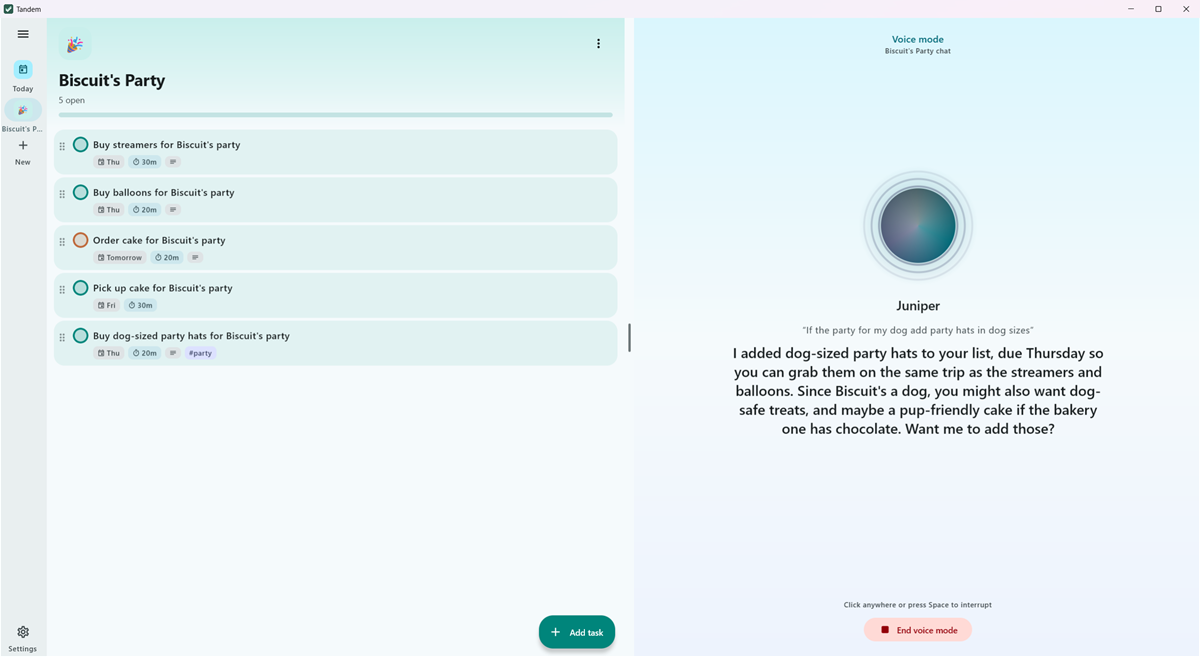
Plan with Juniper
Juniper is a candid coach. Tell it what's going on and it builds the plan, fills in the steps people usually forget, asks probing questions, and pushes back when you take on too much.
- A chat for every list, plus a General chat for planning across all of them
- Changes land right away, and each reply that changed something has an Undo for the whole batch
- Long-term memory: Juniper saves what matters to you, and you can edit it in Settings
- Photos: send a picture of a handwritten list and Juniper turns it into tasks (with Claude or Gemini)
- Juniper can read the calendars you choose, and search the web for things like the weather
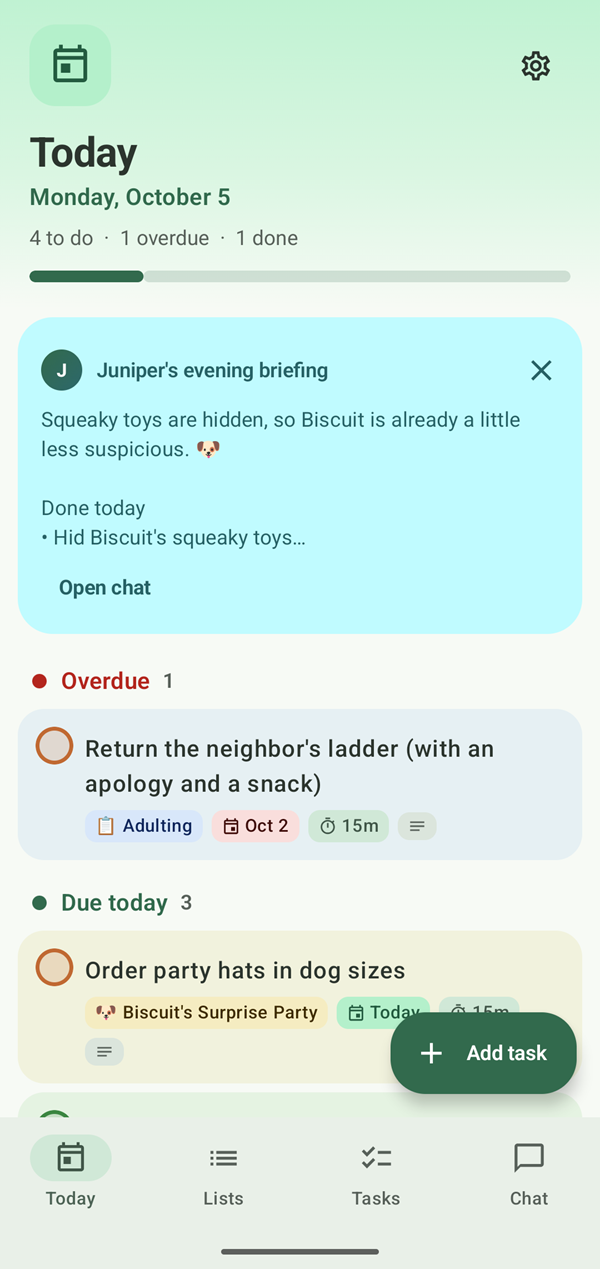
- A short daily check-in, also shown at the top of Today
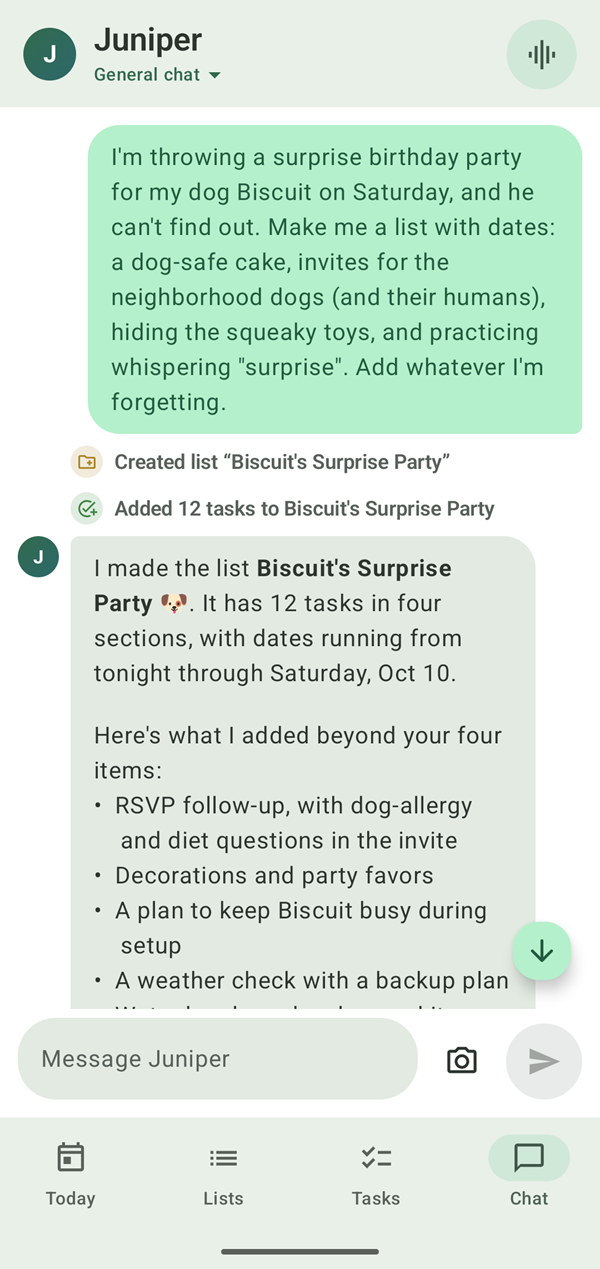
Voice mode
Talk your plans through, hands-free. Juniper listens, answers out loud, and updates your lists as you go.
- Speech recognition runs on your device; audio never leaves it
- Natural voices: Amy or Ryan, plus your phone's or PC's own voices
- Tap to interrupt; say "that's all" when you're done
- On the phone: start it from the app, a widget, the Quick Settings tile or the app icon's shortcut
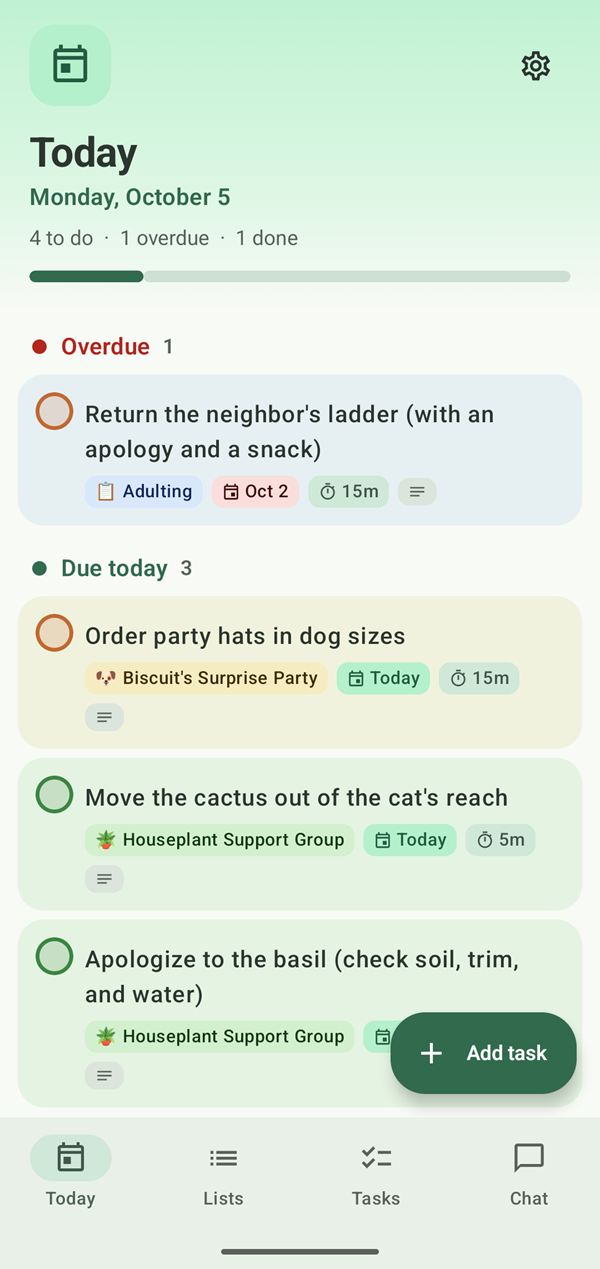
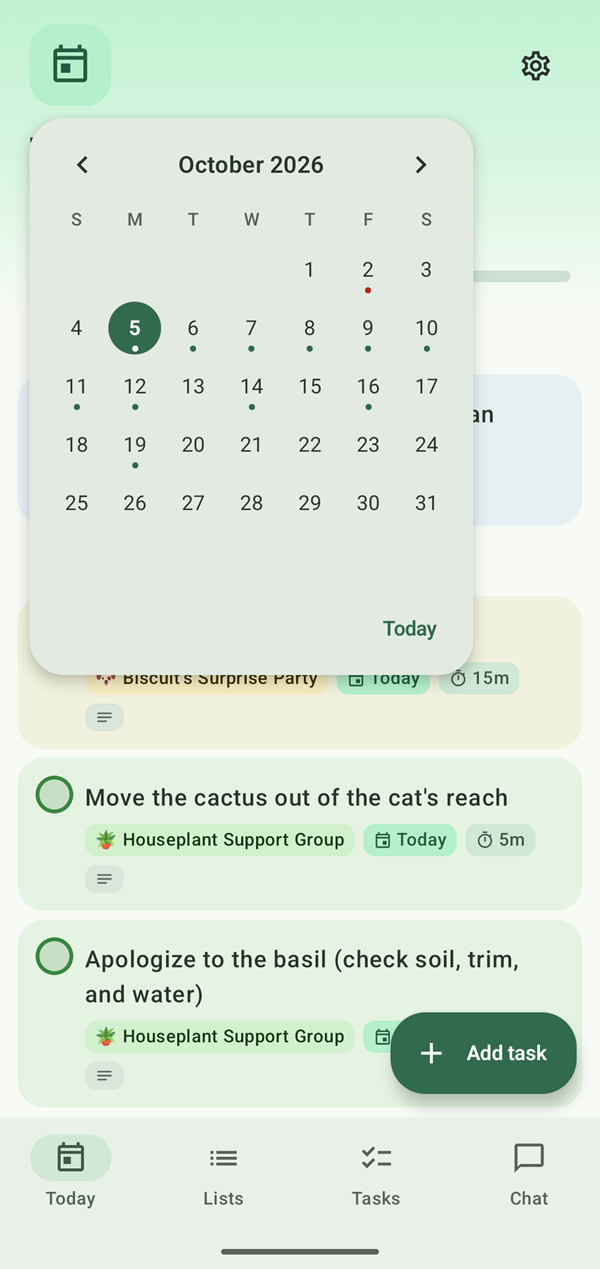
Today, the calendar and day pages
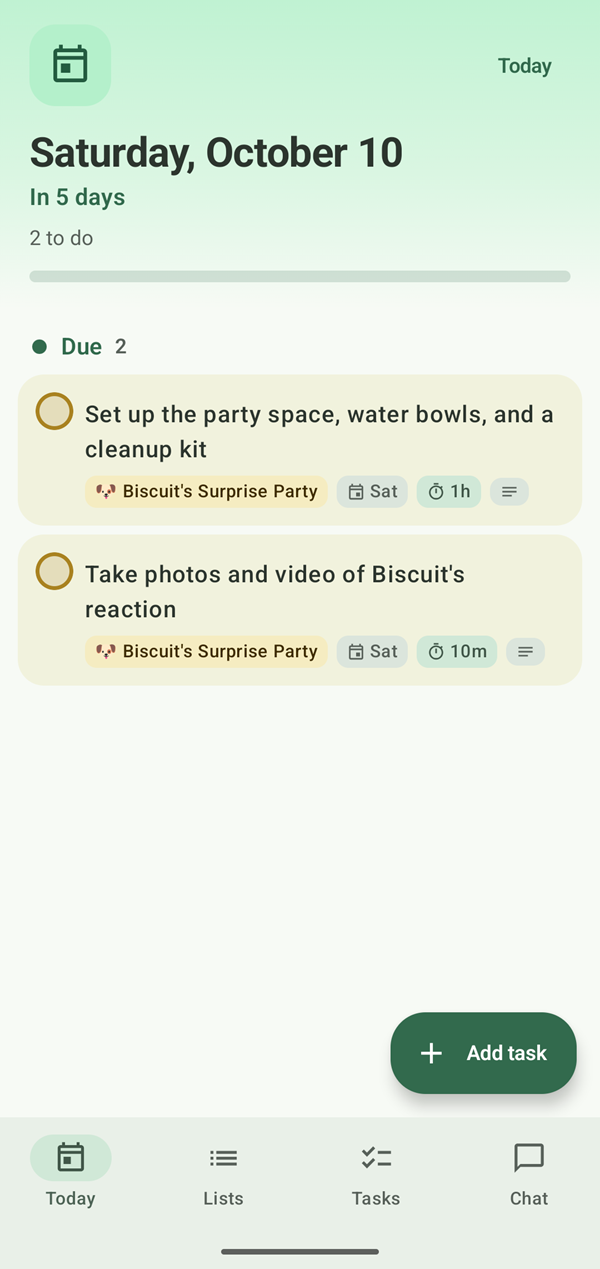
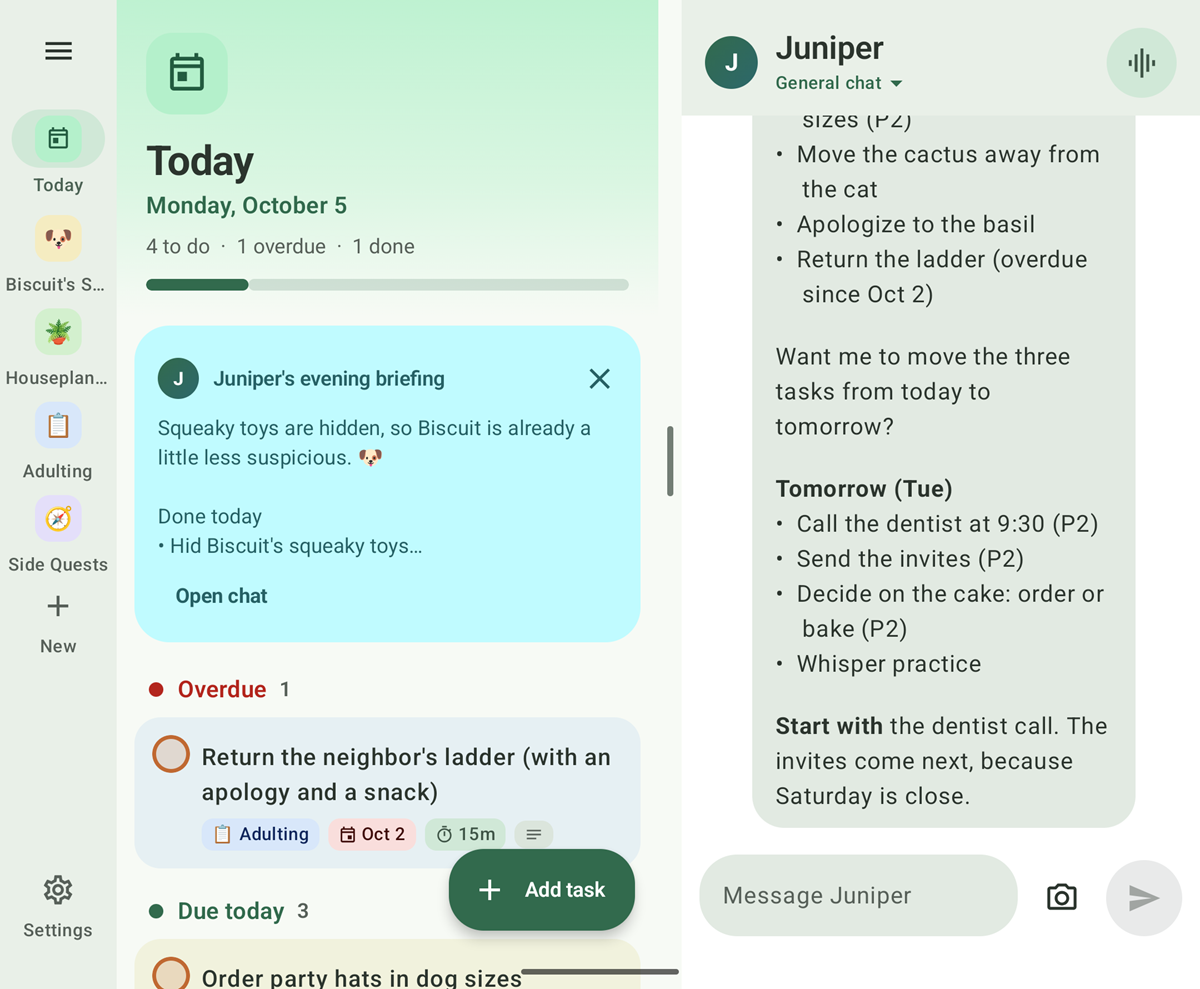
Today gathers what's overdue and due today from every list. Tap its calendar for the whole month: every day with an open task gets a dot, red once it has passed. Tap a day to see what's due and add more.
Lists and tasks
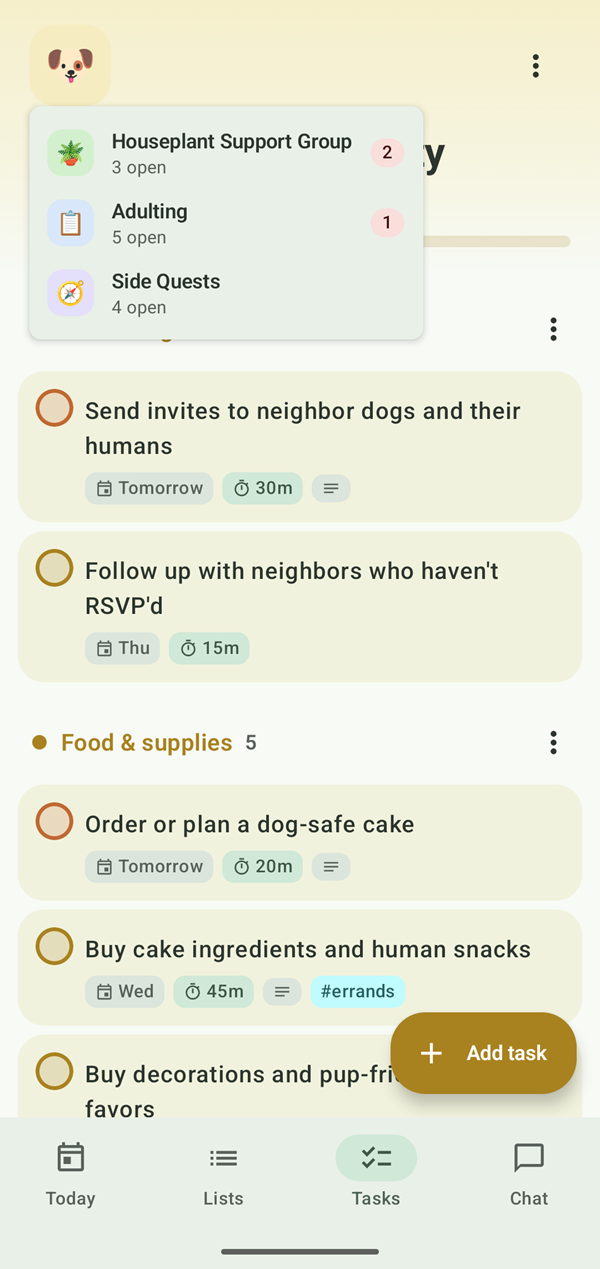
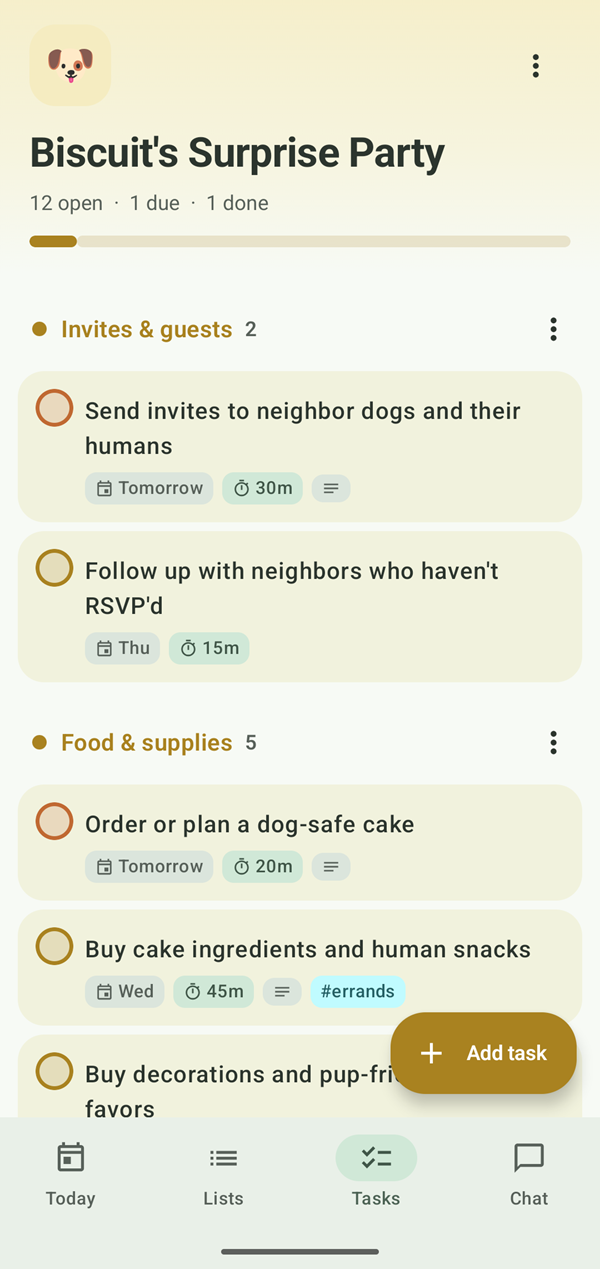
Everything you'd expect from a good to-do app, whether Juniper sets it up or you do it by hand.
- Sections
- Subtasks
- Due dates and times
- Priorities
- Tags
- Time estimates
- Repeats
- Notes
- Reminders
- Repeats: daily, weekdays, chosen days of the week, monthly, yearly, or every few days, weeks or months
- Drag to reorder, swipe to complete or delete, with Undo
- Completed tasks fold away, and can delete themselves after a few days if you like
- A list's emoji and color carry through the app and its widgets
Reminders and briefings
Tandem nudges you at the right time, and Juniper sums up your day twice.
- Reminders before a task is due (an hour by default), with Done and Snooze on the phone
- Tasks with only a date remind you that morning, at a time you choose
- Morning briefing: what's overdue and due today, what to do first, your calendar, the week's deadlines and the weather
- Evening briefing: what you got done, what's still open (with an offer to move it to tomorrow), and a look at tomorrow
Built for foldables, great on any phone
- Inner screen: your lists, tasks and the chat side by side, with a divider you can drag
- Cover screen: tabs for Today, Lists, Tasks and Chat
- Half-folded: tasks on top, the chat and voice controls below
- Fold or unfold and you carry on exactly where you were
- Two home screen widgets, full and compact, for a list or Today, with check-off, quick add and a voice button
- Material You colors from your wallpaper, and dark mode
On your Windows PC
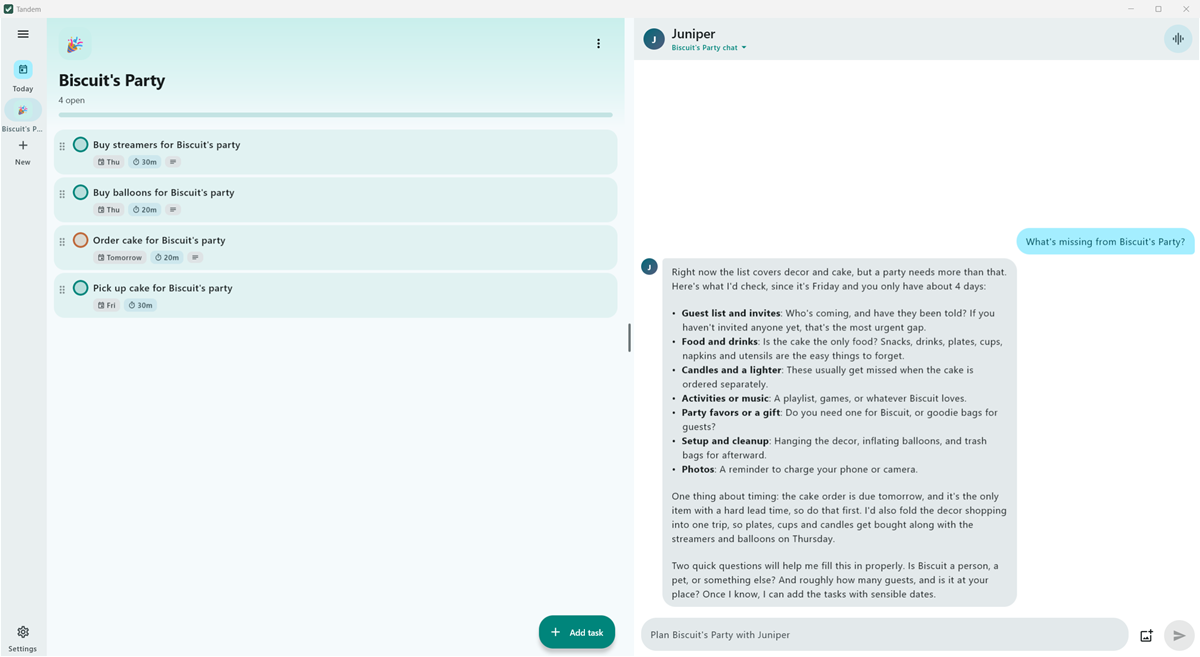
- Juniper, voice mode, reminders and briefings, just like the phone
- A quick-add box on Ctrl+Alt+T, over any app
- Lives in the tray and can start with Windows
- Drop or paste photos into the chat; share calendars with private calendar links
- Updates itself with one click
Sync, if you want it
Sign in with Google to keep your lists, tasks and memories in sync between your phone and your PC, live. Everything works without signing in, and offline changes sync when you're back online. Chats, settings and API keys stay on each device.
Your AI, your data
Choose the AI behind Juniper, and keep your data yours.
Claude or Gemini
Use Anthropic's Claude models or Google's Gemini with your own API key, and pay them directly for what you use. Switch any time; your chats carry on.
Free on-device AI
A model that runs on your phone or PC, free and offline. It can also step in automatically when Claude or Gemini can't be reached.
Private by design
No ads, analytics or tracking. API keys are encrypted on your device and never leave it. See the privacy policy.
Start planning with Juniper
Tandem is free. Bring your own Claude or Gemini key, or use the free on-device AI.